Blog
Software Development Project Rescue: What the First 30 Days Involve
How software development project rescue works: triage, codebase inheritance, outcome agreement, stabilisation and release, anchored in a real 30-day case.

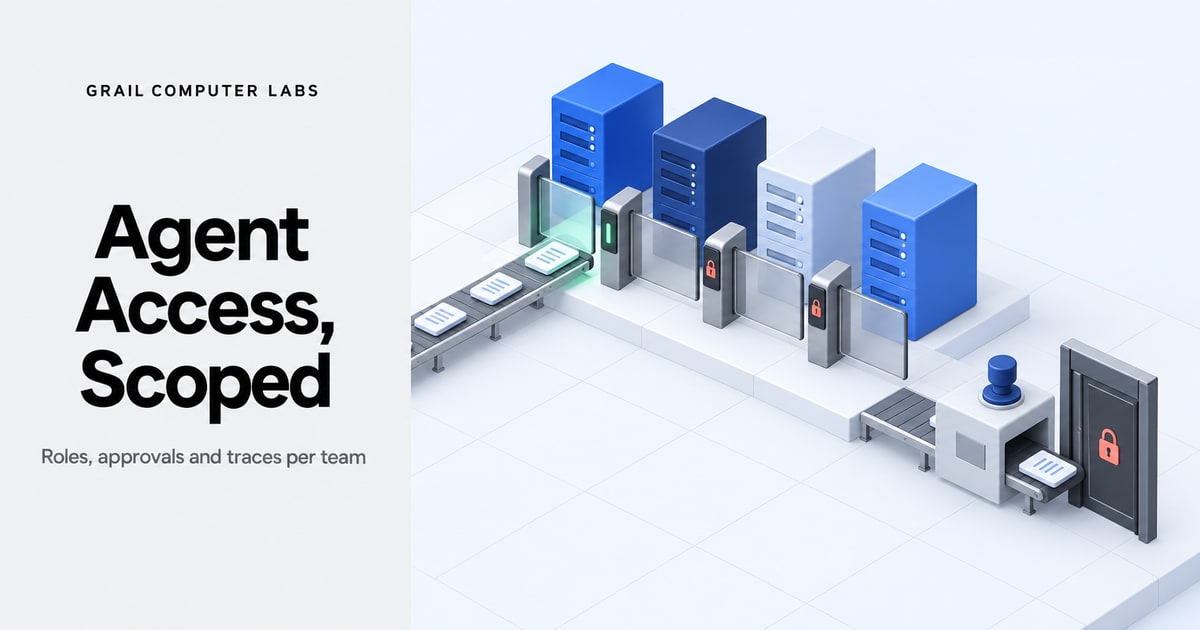
How to choose and implement an AI workflow platform with role-based access: agent roles per business unit, scoped permissions, approval gates and audit traces.
How software development project rescue works: triage, codebase inheritance, outcome agreement, stabilisation and release, anchored in a real 30-day case.
Enterprise AI guardrails explained: instruction-based vs architecture-based controls, plus a go-live checklist for data access, action scope and fallback.
A legacy system is software that is hard to change safely. See the warning signs, the improve-or-rebuild test and a phased migration plan for real platforms.
Request a quote and our experts will contact you within 24 hours with tailored solutions and pricing.
You can also send us a quick email at [email protected].
Last updated: Nov 11, 2026
By Shiva Mangal
The best AI workflow platform with role-based access is one that gives each agent its own identity, scopes what it can read, write, call and deploy, and gates high-risk actions behind human approval. Most buyers compare feature lists instead. Only 33% of organisations provision AI agents with least-privilege access, and 65% have seen an agent act outside its intended scope (Cequence Security and EMA via SecurityBrief, 2026). This guide shows how to define agent roles per business unit, scope permissions to resources and action types, and wire in approval gates. It also describes the rollout Grail Computer Labs uses: read-only first, an access plan shared upfront, and agent traces on every action.
Key Takeaways
- A role-based access label on an AI workflow platform tells little: test for per-agent identity, deny-by-default permissions, approval queues and permission logs.
- AI agent access needs limits on four verbs (read, write, call, deploy), not only on what the agent can log in to.
- One agent role per business unit, each with a named owner, keeps teams from seeing each other's data.
- Approval gates belong on irreversible, financial, production and personal-data actions, not on every step.
- A read-only start, a shared access plan and agent traces give security teams evidence before write access is granted.
An AI workflow platform with role-based access is worth shortlisting when it passes five tests: a separate identity for each agent, deny-by-default permissions, scoping by tool and resource, approval queues for risky actions, and logs of every permission used. 65% of organisations have already seen an agent act outside its intended scope (Cequence Security and EMA via SecurityBrief, 2026).

We do not give a ranked list of vendors, and the reason is practical. Vendor feature pages are claims, and the only reliable evaluation is a trial in which the tester tries to make the agent break its limits. A better shortlist draws from two groups: identity-layer products that issue and govern agent accounts, and workflow platforms that run the agents. Both groups get the same five tests.
A feature checkbox that says RBAC usually covers who can edit a workflow, not what an agent may do at runtime. Role-based access control (RBAC) is a model that assigns permissions to roles instead of individuals. The question for agents is whether the platform applies that model to the agent itself.
This table works as an evaluation checklist for any AI automation platform:
| Capability | What to test in a trial | Pass condition |
|---|---|---|
| Agent identity | Create an agent and view its account in the identity system | The agent has its own account, owner and revocation path |
| Deny by default | Run the agent against a system it was not granted | The call fails and the failure is logged |
| Per-tool and per-resource scope | Ask the agent to use a tool or record outside its role | Access is refused at the platform, not by the prompt |
| Approval queue | Trigger a high-risk action | The action waits for a named approver and shows the exact parameters |
| Permission log | Review logs after the test | Each permission used appears with time, agent and resource |
Role-based AI access is supported by identity-layer products and by workflow platforms, and the feature to look for is agent-level identity. Microsoft Entra Agent ID reached general availability in April 2026 with agent identity blueprints, sponsors and access packages (Microsoft Learn, 2026). Any other platform should pass the same five tests.
NIST's NCCoE concept paper on agent identity begins from the upside: "AI agents offer the promise of improved productivity, efficiency, and decision-making in complex scenarios" (NIST NCCoE via Biometric Update, 2026). The paper's subject, identification, authorization and access delegation for agents, is the control surface to test. Microsoft's product is one vendor's approach, not a recommendation.
Role-based access control (RBAC) assigns permissions to roles instead of individuals. A person holds a few roles and logs in to a few systems. An AI agent can act for several roles at once, calls tools instead of screens, and often inherits a user's full access, so only 33% of organisations provision agents with least-privilege access (Cequence Security and EMA via SecurityBrief, 2026).
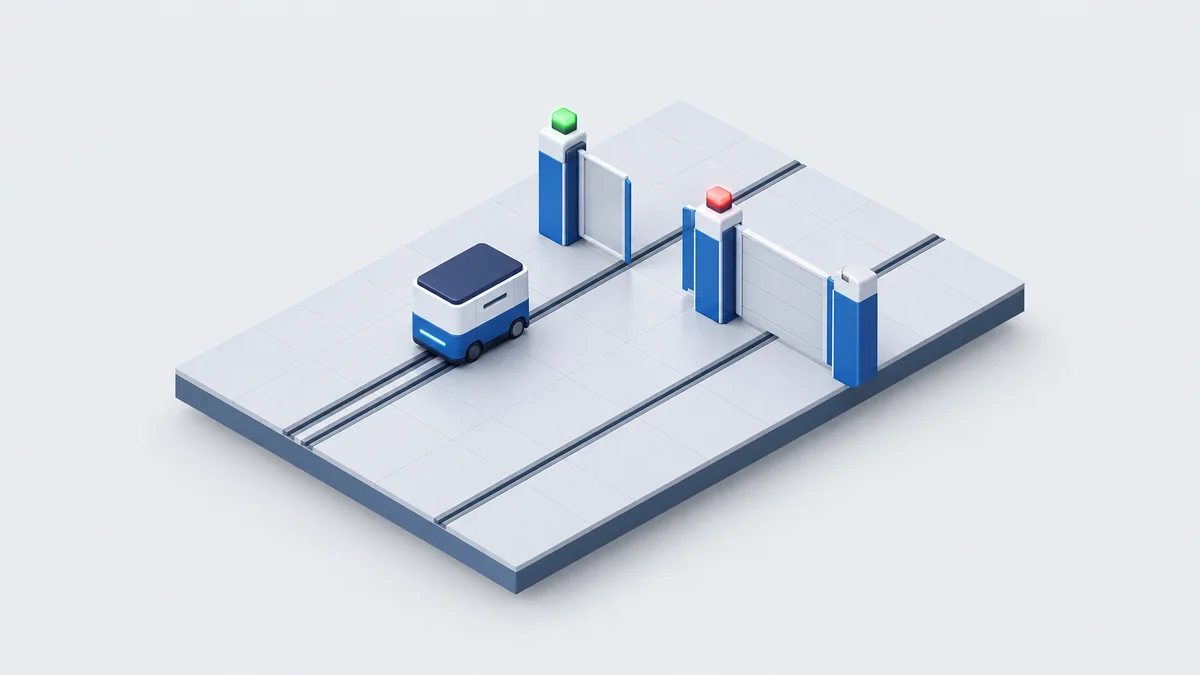
Least privilege is the practice of giving an identity only the access its task needs, and nothing more. For a human, that mostly means which applications can be opened. For an agent, it means limiting four things:
An agent that inherits a user's login gets all four at the user's level. The agent also works faster than the user and does not tire, so a broad grant is exercised more often. IBM states the framing plainly: "Recognize that AI models and agents function as identities with access privileges." (IBM Think, 2025).
In the same survey, 94% of respondents were confident agents do not have more access than needed, yet only a third enforce least-privilege provisioning (Cequence Security and EMA via SecurityBrief, 2026). Of the organisations surveyed, 29% said an out-of-scope action caused measurable business impact.
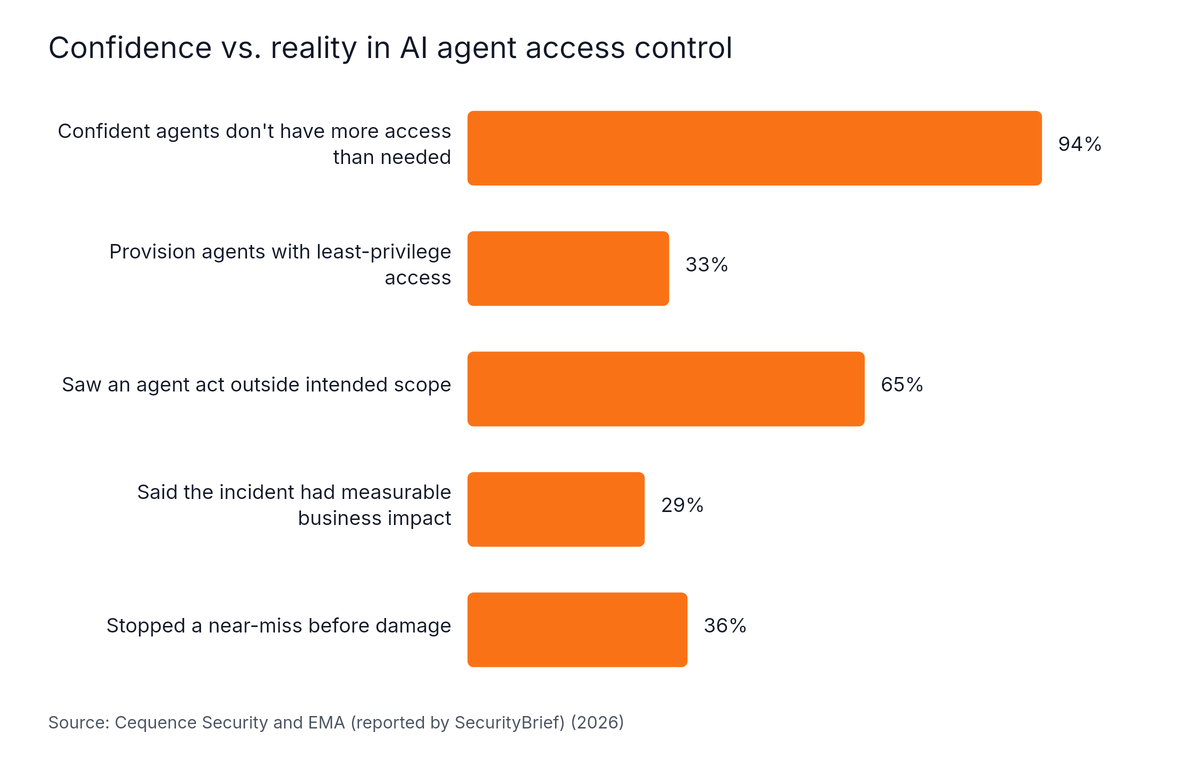
Source: Cequence Security and EMA (reported by SecurityBrief), 2026
IBM's 2025 breach report found that among organisations reporting an AI-related breach, 97% lacked proper AI access controls (IBM, 2025).
Rules enforced through a prompt live in the same context as the agent. They are instructions, not boundaries. The only reliable way to prevent an agent from doing something is to make it physically impossible.
Define one agent role per business unit and workflow, then give each role explicit limits on what it can read, write, call and deploy. Support, finance, HR and engineering carry different risk, so they need different permission shapes. Each agent also needs its own identity and a named owner, because 85% of organisations have no formal accountability for agent behaviour (Gravitee, 2026).
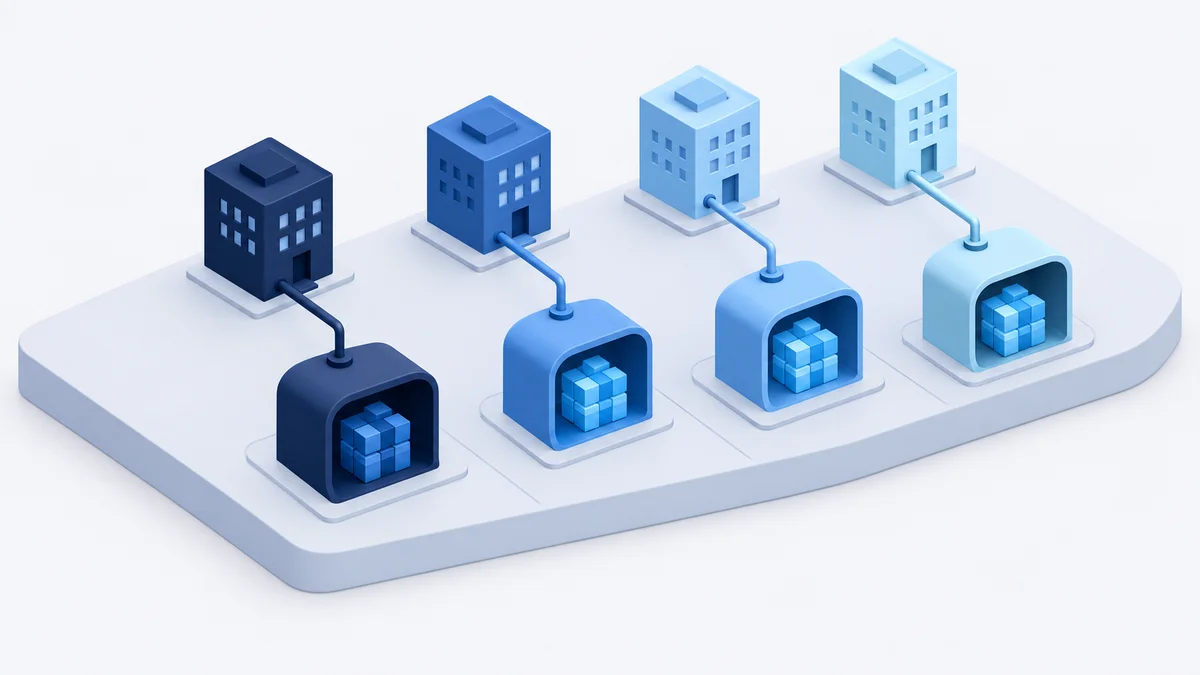
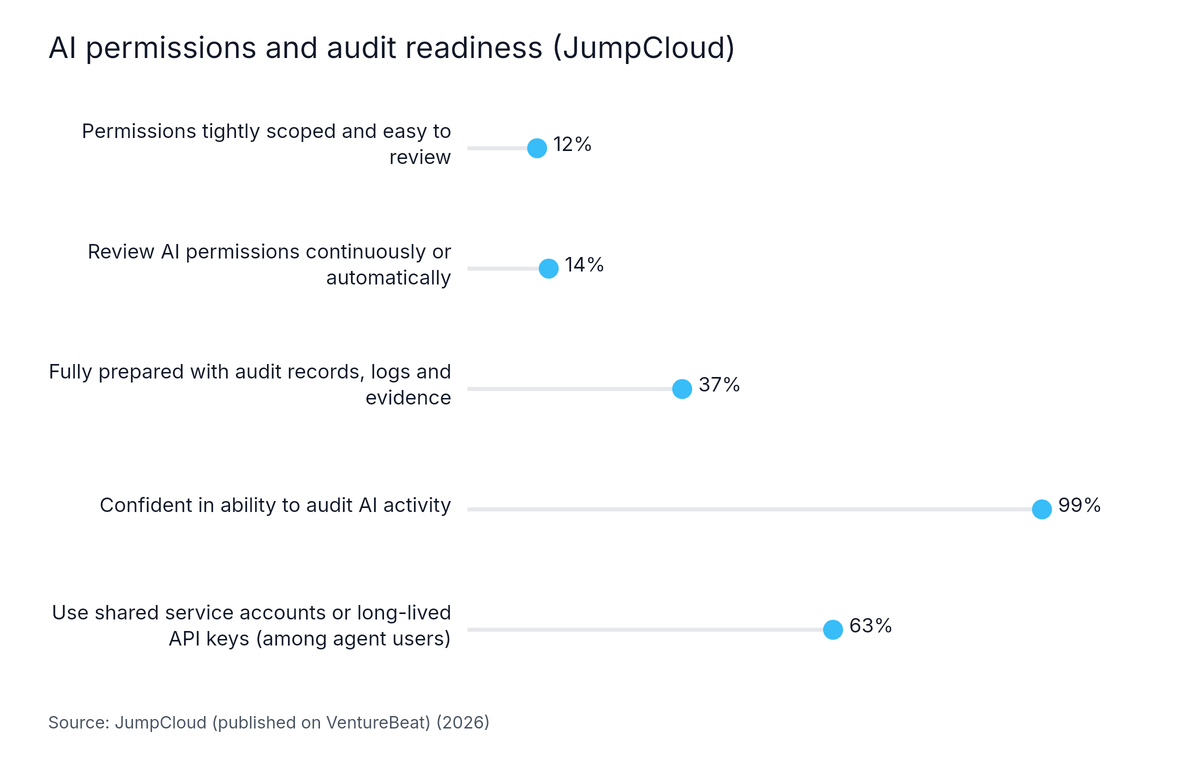
An agent identity is a distinct account for one AI agent, separate from any human user, that can be permissioned, reviewed and revoked. Among organisations using agents, 63% rely on higher-risk approaches such as shared service accounts or long-lived API keys (JumpCloud via VentureBeat, 2026). A shared account makes it impossible to say which agent did what.
Ownership is thin too: only 7.2% of organisations reported a named individual with formal accountability for agent behaviour (Gravitee, 2026).
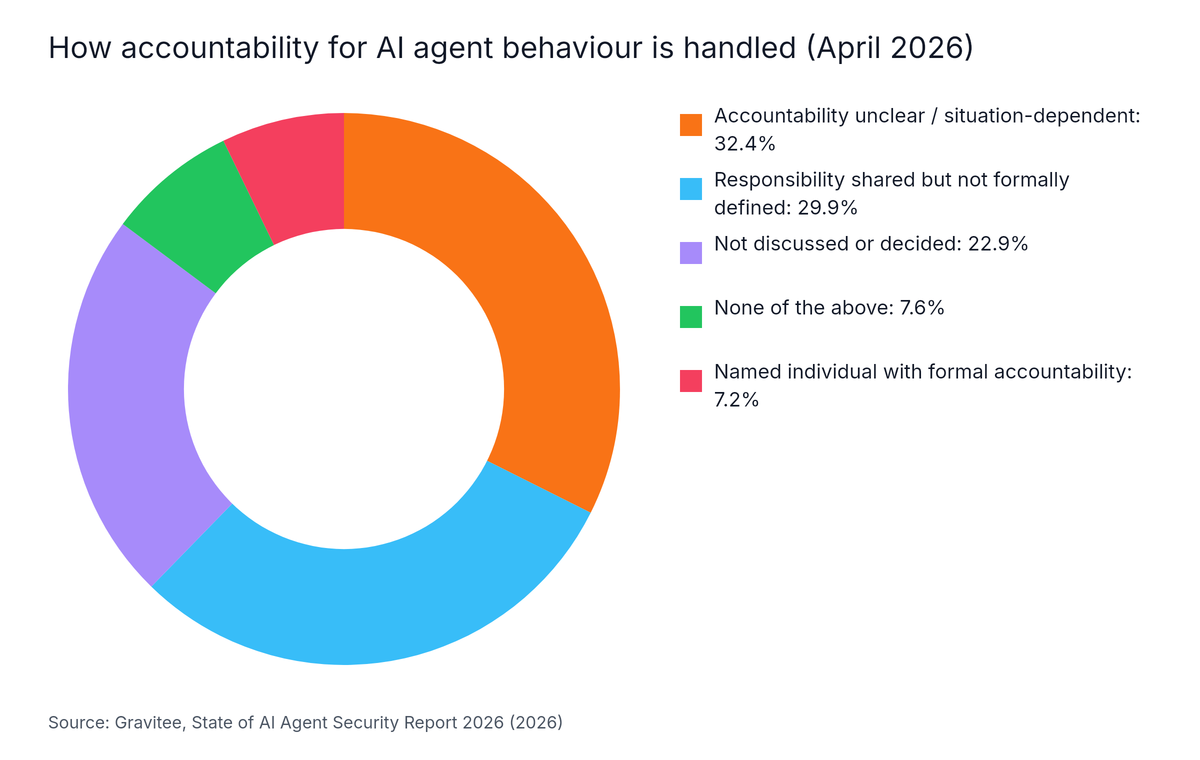
Source: Gravitee, State of AI Agent Security Report 2026, 2026
Each agent role needs a sponsor in the business unit that uses it. That person approves the access plan and reviews grants when the workflow changes.
This example permission matrix is a starting shape. Cut it down to the exact systems and fields each workflow needs.
| Business unit | Read | Write | Call | Deploy |
|---|---|---|---|---|
| Customer support | Own team's tickets and customer profile fields | Draft replies, staged until approved | Helpdesk and knowledge base only | None |
| Finance operations | Transaction records for its entity | Reconciliation notes, not payments | Matching and reporting tools | None |
| HR | Onboarding records for its region | Task status updates | Document and scheduling tools | None |
| Engineering | Repository and ticket data | Branches and pull requests | Test and build tools | Production deploy only after human release approval |
Each unit's agent runs with its own identity, and no cell grants access the workflow does not use. If each team must see only its own data, enforce that in the data layer or workspace scope. A prompt that says "only show Team A's records" is an instruction, not a boundary.
Only 12% of organisations describe their AI permissions as tightly scoped and easy to review, and 14% review them continuously or automatically (JumpCloud via VentureBeat, 2026). Prefer short-lived credentials tied to a task over long-lived keys. Review grants whenever a workflow changes, and remove access when a workflow is retired.
Source: JumpCloud (published on VentureBeat), 2026
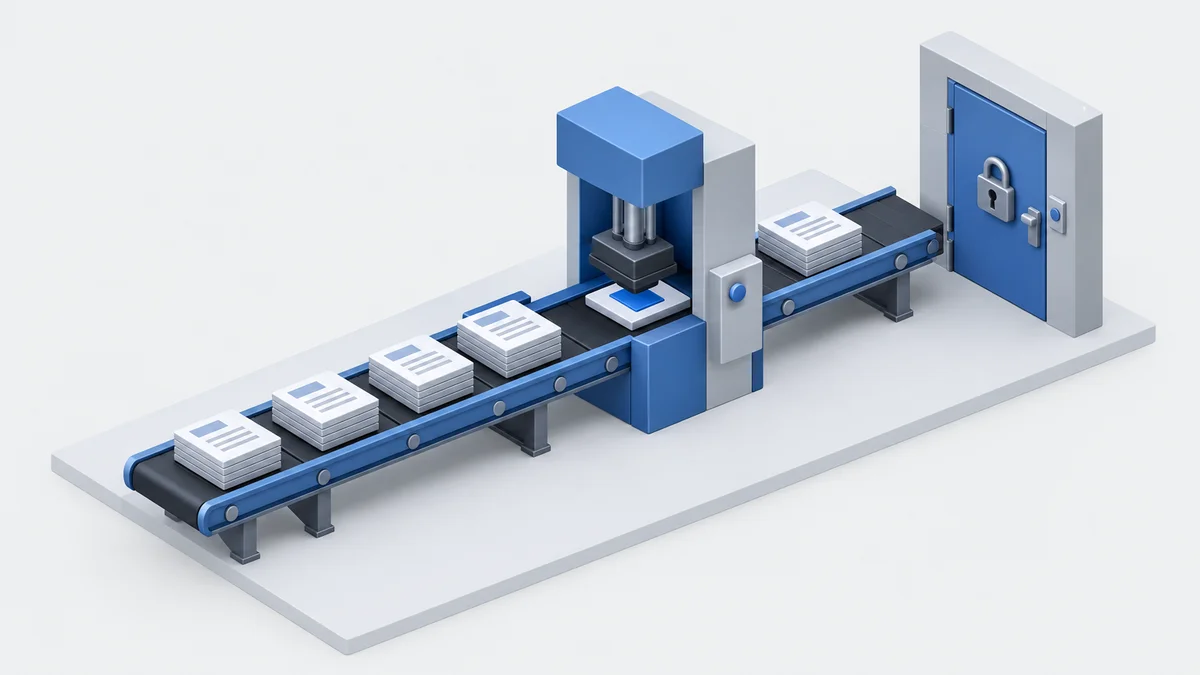
An approval gate is a point in a workflow where an agent must stop and wait for a named human to approve an action before it runs. Role-based action permissions decide which actions get one: those that are hard to reverse, move money, change production or expose personal data. Singapore's IMDA lists human approvals as a core agent component (Baker McKenzie, 2026).
The IMDA's Model AI Governance Framework for Agentic AI reached v1.5 on 20 May 2026. It is voluntary guidance, and it pairs human approvals with access controls, guardrails, and logging and monitoring. The need is real: 80% of respondents in a SailPoint survey said their AI agents had taken unintended actions (SailPoint via Varonis, 2026). Low-risk reads should flow freely, so the approver's attention stays on the few actions that matter.
Tiering decides which actions need a human. This table is a workable default.
| Tier | Example actions | Gate |
|---|---|---|
| Low | Reading permitted records, drafting text | No approval, fully logged |
| Medium | Writing to a business record, sending a customer message | Review after the act, with sampling |
| High | Payments, changing access, bulk updates, deleting data | Approve before the act by a named person |
| Critical | Production deploys, regulated data exports | Approve before the act by a person other than the requester |
Maker-checker is a control in which one party proposes an action and a different party must approve it. Use it on the critical tier: the agent proposes, one person approves, and the requester cannot approve their own request.
An approval that says "allow the agent to update records" is too loose. The approver should see the specific parameters: which record, which values, which system. If the agent changes the parameters after approval, the approval should lapse. Watch for rubber-stamping too. An approver who sees dozens of near-identical requests per hour will click through. Raise the gate threshold or batch similar requests.
Our data: In a one-week build for a Singapore-based neobank, GC Labs raised automated approvals from approximately 44% to approximately 90% in testing, using a human-reviewed know-your-transaction (KYT) workflow that previously took 30+ minutes per review.
Human review and automation are not opposites. The neobank figure shows that routing only the genuinely uncertain cases to a person lets most volume pass without a manual step. It is a testing result from one client, not a general benchmark.
Grail Computer Labs rolls out agent access in a fixed order. Access starts read-only, an access plan is shared upfront, and agent traces record every permission the agent exercises. Write access arrives later, one action type at a time, which keeps the first deployment low-risk and produces the evidence an auditor will ask for.
An agent trace is a record of what an agent did, including each tool call and the permission it used. The sequence we follow:
Audit readiness is where most teams fall short. 99% of IT leaders say they are confident they could audit AI activity, but only 37% are fully prepared with the records, logs and evidence (JumpCloud via VentureBeat, 2026). Traces turn that confidence into evidence.
In GC Labs' Software Factory, agents execute and GC Labs engineers review every change. Likely secrets are masked before they reach an agent. Deployment can run on client infrastructure or a private cloud under the client's AI and security policies, with zero data retention where required. Client content is never used to train AI models or shown to other clients, per the Terms of Service.
To test this approach on one workflow, we can scope it on a call.
Role-based access control with approval gates for AI agents reduces what an agent can do wrong, but it does not remove risk. Only 44% of organisations have policies to secure agents, and 80% report unintended agent actions (SailPoint via Varonis, 2026). The approach adds read-only delay and approval latency, and it replaces no certified security programme.
Teams that need a ranked vendor shortlist, or that run a single low-risk workflow, may not need this level of structure. The caveats are specific:
Enterprise AI automation platforms handle role-based access by assigning permissions to roles and attaching those roles to identities. For agents, the useful controls are a separate identity per agent, deny-by-default permissions, scoping by tool and resource, approval queues for risky actions, and logs of each permission used. Each one should be tested in a trial before purchase.
Several platforms support role-based AI access, and the control to look for is agent-level identity, not only user roles. Microsoft Entra Agent ID, for example, reached general availability in April 2026 and adds agent identities, sponsors and access packages. Whichever platform is chosen, deny-by-default behaviour and per-tool scoping should be verified in a trial.
Control what AI agents can access and do by giving each agent its own identity, then limiting what it can read, write, call and deploy in each system. Start read-only, share an access plan before any access is granted, gate high-risk actions behind human approval, and record an agent trace of every permission used.
Platforms that offer role-based action permissions and approval workflows for AI agents set permissions per action type and route high-risk actions to a named approver before they run. Buyers should ask each vendor to demonstrate an approval queue, parameter-bound approvals and an immutable log of who approved what, rather than relying on a feature list.
Enterprise automation platforms that support per-business-unit agent roles create separate agent identities for each unit, bind each to its own data sources and tools, and assign a named owner. The direct test: deploy one agent in each of two units and confirm neither can read the other's data.
AI support automation tools with granular role-based access enforce team boundaries at the data layer, not in the prompt. Look for per-team agent identities, row or workspace-level scoping, and logs showing which records each agent read. Instructions in a prompt are not boundaries, so confirm the restriction holds when the agent is asked to cross it.
Role-based access for AI agents works when it limits actions, not only logins. Audit evidence is the clearest gap: only 37% of organisations are fully prepared with the records, logs and evidence an AI audit would need (JumpCloud via VentureBeat, 2026).
Next step: pick one workflow, write its access plan on a single page, and run it read-only for a week. Then review the traces with the sponsor and the security owner.