
Legacy System Migration Workbench: What Good Looks Like
A legacy system migration workbench assesses, maps, validates and cuts over old software in stages. Learn the capabilities to check before you buy.
Most buying guides for this category ask the wrong question. They compare conversion engines, count the languages a tool can parse, and quote how much of an old codebase it can rewrite without human input. That framing turns a legacy system migration workbench into a compiler with a price list, and compilers get judged on throughput.
The question that decides whether a migration succeeds is narrower. What evidence does the workbench leave behind for the person who has to run the system next? Evidence that a rule was captured, that a field maps from a legacy record to a target record, that a rollback was rehearsed, that a named owner accepted the result. A tool that moves code quickly and leaves no trail is a liability, because the trail is the only thing that lets an internal team take over when the delivery partner walks away.
This article treats the workbench as a business-continuity and decision-history control system. It covers the activities the tooling must support, how to score components before choosing a path, what proof of data movement looks like, how to budget the parallel run, how to stage a cut-over, and what ownership has to survive the final release.
Six Activities Every Migration Workbench Must Cover
A familiar sequence plays out. A team buys a conversion tool, points it at a large estate, and gets something that builds. Six weeks later a support agent finds a rule nobody can place: a discount that only applies when a manual note exists on the account, a waiting period held in a scheduler, a nightly batch that overwrites a status field three hours after the interface set it.
The conversion worked. The migration didn't. A legacy system migration workbench is the coordinated environment in which every migration activity runs, and each one produces evidence a buyer can inspect.
A 2025 systematic mapping study of 43 studies on modernising legacy systems towards microservices found the work splits into six recurring macro-activities, and code conversion covers two of them: assessment and planning, system understanding, target-architecture design, migration implementation, validation, and operational transition (MDPI Applied System Innovation). The other four are where the money and the risk sit.
| Activity | What the workbench does | Evidence it should produce |
|---|---|---|
| Assessment and planning | Scores components and sets the migration scope | Ranked component list with stated criteria |
| System understanding | Maps code, data, interfaces and dependencies | Dependency inventory and extracted rule catalogue |
| Target-architecture design | Defines the destination and its boundaries | Architecture decision record with rejected options |
| Migration implementation | Transforms code and data in controlled batches | Versioned transformation code and mapping rules |
| Validation | Tests behaviour and reconciles old and new outputs | Reconciliation reports and regression results |
| Operational transition | Manages cut-over, rollback and handover | Rehearsed rollback record and named operating owners |
What speed alone does not measure
The same study notes that the research field judges modernisation on several quality attributes at once, including maintainability, scalability, interoperability, performance and business continuity. That mix matters commercially. A tool tuned purely for conversion speed optimises one attribute, the speed of the rewrite, and hands maintainability and continuity to whoever inherits the result.
The six-activity model also makes incremental delivery possible. Teams analyse and migrate bounded components while the wider estate keeps running, which is the only credible route in regulated sectors and high-volume platforms where a wholesale replacement creates unacceptable interruption or verification risk.
Demo test: ask the vendor to open the target-architecture decision record and the operational transition record for a real component. If neither exists, the tool covers the easy half of the work.
Before any of that, sizing the estate properly is worth an hour. Homebase's guide to migrating from legacy systems covers the scoping questions that decide how much belongs in the first wave.
Score Each Component Before Choosing a Path
Choosing one strategy for an entire estate can force very different systems into the same path. A billing engine that earns revenue every hour has different constraints from a reporting job that nobody has opened in years. Score each application or bounded business capability separately.
A 2025 systematic review identifies eight modernisation strategies, including cloudification, architectural redesign, programming-language replacement, database modernisation and automation. Cost, performance, scalability and complexity reduction are common drivers (the ACM systematic review of software modernisation). That range argues for a component-by-component decision, not a single estate-wide prescription.
Use the same six criteria for every component: business criticality, change frequency, dependency count, data sensitivity, operational risk and code quality. Consistent criteria make the ranking easier to challenge with evidence.
| Signal pattern | Likely path | First action |
|---|---|---|
| High value, few dependencies | Staged re-platforming | Move one capability and keep the rest running |
| High value, many dependencies | Incremental extraction | Separate one business process behind an interface |
| Low value, poor code quality | Replace or retire | Confirm the capability is still needed before building |
| Sound foundation, concentrated failures | Improve the current platform | Fix the failing parts and restore release speed |
| Unstable core, unreliable releases | Rebuild the foundation | Keep the data and business rules, rebuild the software around them |
The four questions an audit has to answer
Grail Computer Labs audits an inherited platform by mapping the whole system, reconstructing how it worked, locating where changes could fail, and assessing what it would take to run. The operating requirements matter as much as the code: a system that cannot be supported safely is not ready for handover.
The improve-or-rebuild decision should follow evidence. Grail improves the current platform when its foundation and core architecture can support the next stage, production data and business logic are trustworthy, failures are concentrated in identifiable parts, and a reliable release process can be restored quickly. If several of those conditions are absent, rebuilding may be the better choice. The trade-off is whether fixing the existing foundation can restore safe releases, or whether its constraints will keep shaping every change.
A case study of a 280,000-line monolith describes how extracting five business processes into microservices initially increased technical debt, then slowed its growth compared with the monolith (Finchum Fixes IT on system modernization). Migration dashboards should track lead time, deployment failure rate, defect escape rate, dependency reduction and technical-debt trend, not just percentage complete.
Treat scores as a starting point, not a formula. Publish the criteria and ranking so the steering group can challenge the evidence behind each path.
Recover Business Rules and Prove the Data Moved Correctly
A migration can preserve every field and still break the business. The failure often sits in an exception path, an undocumented rule, a batch schedule, or an interface contract that never made it into the code.
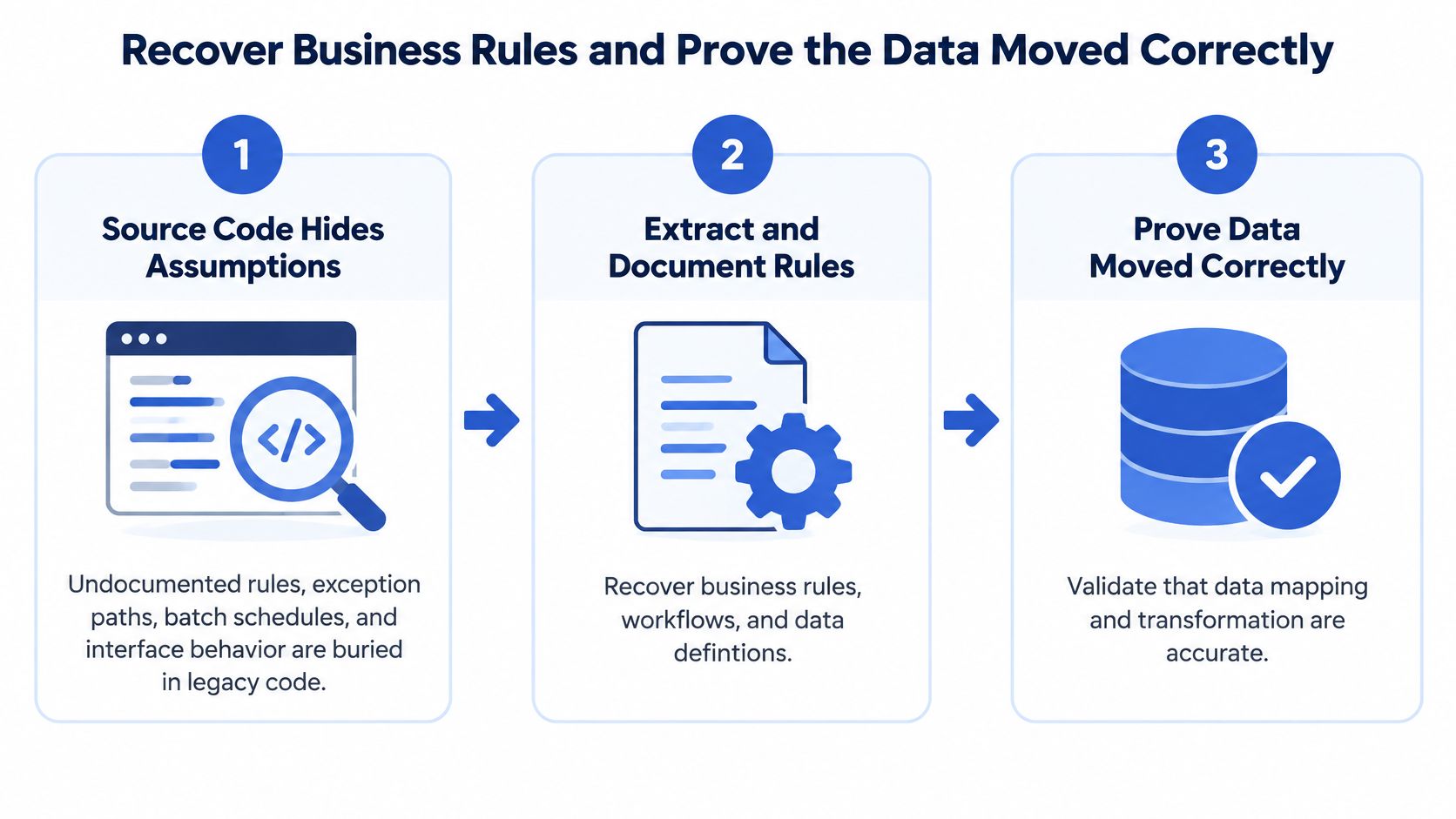
The workbench must preserve the useful parts of the inherited platform, including its data, business rules, workflows and knowledge of how the company operates, while the software is rebuilt around them. Grail Computer Labs modelled one platform's core journey as a state model with 27 states and 39 transitions. The model exposed missing paths for cancellations, disputes, failed fulfilment, notifications and admin recovery. It gives the next team a concrete record of how the business is meant to behave, not just a translation of the old code.
A passing test suite does not prove that migrated data is fit for use. The U.S. Government Accountability Office found that clinicians encountered data-quality problems during the Department of Veterans Affairs' electronic health record migration, despite testing intended to confirm that migrated data was accurate and matched expected results. The programme also lacked performance measures showing that the data was accessible, accurate and appropriate for clinical use (GAO review of the VA electronic health record migration).
Data migration also creates schedule risk of its own. Bloor Research, cited in published migration guidance, reports that only 16% of data-migration projects finish on their original timeline and budget. Among projects that overrun, the average delay is 41% and the average cost overrun is 30% (guidance on legacy migration timelines).
The order that works
- Profile the source. Count rows, keys, nulls and value ranges before moving data. This establishes the baseline for comparison.
- Map each field. Record the source field, target field and transformation, with the reason for the mapping.
- Load a staging copy. Rehearse on a copy, not on the live system the business still depends on.
- Reconcile the results. Compare row counts, then financial or clinical totals, then referential integrity.
- Route rejects to a queue. Give each failed record a reason code and a named owner so it can be resolved rather than buried in a log.
- Sample-check with business users. Have the people who rely on the data confirm that it reflects the intended rules.
- Record the release evidence. Keep the migration version, source snapshot, transformation code, validation results and sign-off owner together.
| Control | Failure example it catches | Example acceptance threshold |
|---|---|---|
| Row-count reconciliation | Records dropped or duplicated during loading | Zero unexplained difference between source and target counts |
| Financial or clinical total reconciliation | A transformation changes a balance or value | Zero unexplained balance differences |
| Referential-integrity check | A migrated record points to a missing related record | Zero orphaned foreign keys |
| Null-rate and domain-value check | A required value is missing or outside its allowed range | Agreed maximum exception rate for each field |
| Sampled business-user approval | Data passes technical checks but misrepresents a business rule | Named owner signs off each sampled batch |
Set thresholds by domain and put them in the acceptance criteria, where release decisions can use them. For a hypothetical payroll migration of 180,000 worker records, twelve unexplained gross-pay differences are a release blocker. The proportion may be small, but the team cannot establish which twelve employees may be underpaid.
Budget for the Parallel Run and Track It Properly
A plan that funds only the replacement build can report green for months and still leave the business unable to switch the old platform off. The missing line is the period when both systems run and someone pays for the comparison.
Published migration cost analysis gives a planning split for a replacement project (migration cost breakdown for legacy replacement):
| Budget line | Typical share of budget | What it covers |
|---|---|---|
| New build | 35–50% | Design, build and testing of the replacement system |
| Data migration and reconciliation | 20–35% | Profiling, mapping, reconciliation and exception handling |
| Compliance work | 10–20% | Access controls, audit logging and penetration testing |
| Parallel-run operating cost | 15–30% | Running both systems for roughly 60–120 days |
Those are planning shares, not a price model and not a quote. What matters is that the steering group approves all four lines, because a budget without the fourth assumes the cut-over is free.
One dashboard, not three
The workbench should carry a single view that the board can read without translation: the reconciliation stage counts from the data workstream, parallel-run duration against the window that was approved, unresolved defects by severity, and support volume per week. Add whether the replacement is cheaper to operate, measured on real running cost rather than the business case.
Write the decommissioning criteria before the parallel run starts. Which reports stop, which integrations get switched off, what evidence proves the legacy platform has no live consumers left. Six months into a parallel run nobody remembers why a nightly job still exists, and the default answer is to keep paying for it.
Practical rule: if the parallel-run line is missing from the approved budget, the overrun will surface in the final two months, at the point where the business has least room to slow down.
Stage the Cut-Over Behind Parallel Validation
A cut-over is not proven safe because the replacement passes its tests. It is safe when the business can compare both systems, stop a cohort at a predefined threshold, and see why each release decision was made.
The 2018 TSB Bank core-platform migration moved 5.2 million customer accounts in a single event. Approximately 1.9 million customers were locked out, and reported losses and regulatory penalties reached hundreds of millions of pounds. A staged cut-over gives teams a chance to detect differences before the new system becomes the only system in use.
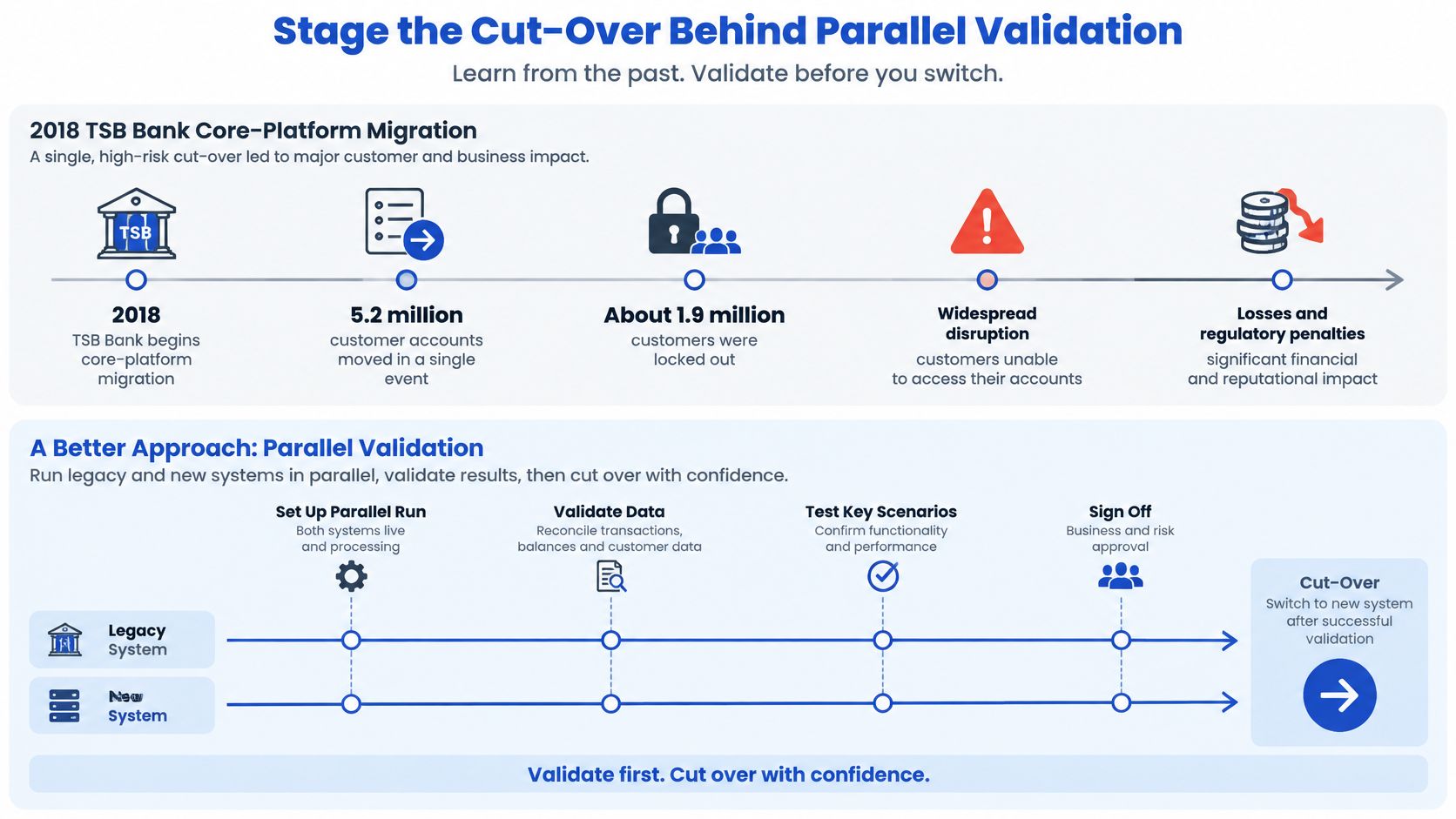
Staging adds temporary operating cost and requires a clear source-of-truth policy for fields both systems can change. Those are real trade-offs. Where legacy behaviour is undocumented, parallel validation gives the team evidence before it commits the business to the replacement.
The sequence that holds up
- Choose one bounded workflow. Start where a mistake has limited customer impact. The first cut-over tests the control process as much as the software.
- Run both systems and compare outputs. Generate the same report from each, then compare totals and individual records. Dashboard-level agreement can hide record-level differences.
- Move a controlled cohort behind a feature flag. Limit the first release to a defined user group, region, or product line. Confirm that the flag can route users back to the legacy system.
- Set a stop threshold before the cohort moves. Define the mismatch rate or customer-impact count that halts expansion. If the threshold is crossed, pause the cohort and investigate before exposing more users.
- Rehearse rollback and assign authority. Record who can stop the release, what action restores the previous route, and how the team will confirm that the rollback worked.
- Expand only after the evidence supports it. Record the comparison results, incidents, rollback decisions, and approval for each increase in scope. When adjacent workflows reuse the same systems and approval logic, document the control pattern before another team adopts it.
Agent-assisted delivery needs the same discipline: the agentic software development life cycle should leave review, test, and release evidence, not just a faster path to deployment.
Zero downtime depends on operating decisions as much as infrastructure. Each discrepancy needs an accountable owner, each cohort needs a customer-impact threshold, and someone must have authority to stop expansion. Keep the decision record with the release evidence so the next operator can see what was compared, what passed, and why the cut-over proceeded.
A healthy cohort looks boring. Mismatch counts fall, rollback has been tested, and each decision to widen is recorded with its approver.
Keep Ownership and Decision History With the Code
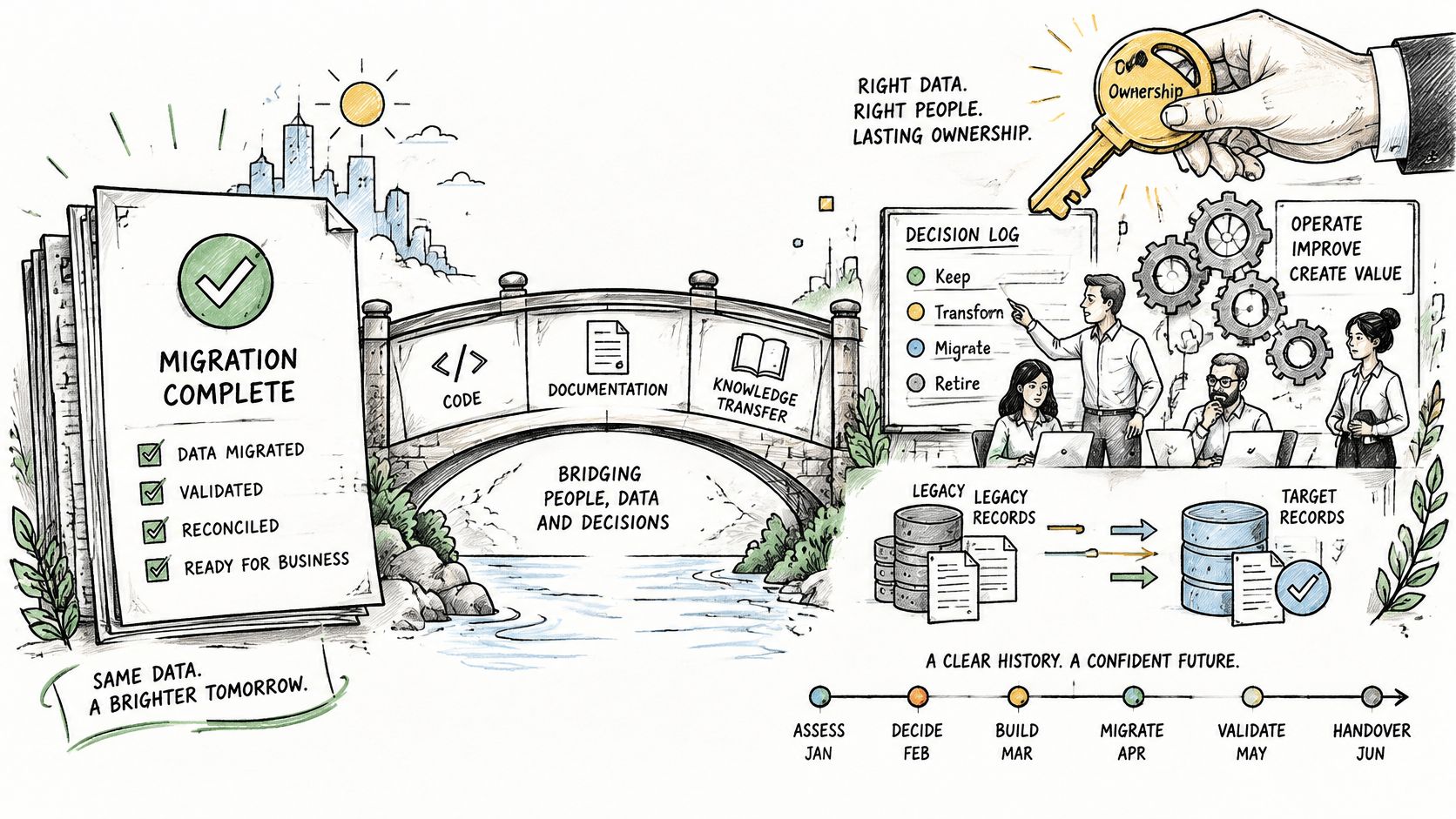
A migration finishes when the business can operate the new system, not when the last service deploys. Those are different events, and only one of them gets celebrated.
Research on software modernisation identifies multiple strategies used over the past decade, including approaches for analysing and incrementally changing large legacy applications (the ACM review of modernisation strategies). That points to a workbench that records more than tickets and commits. Each migrated capability should link to its business owner, the source-system behaviour it replaces, its acceptance test, its operational metric and the decision history behind it. The practical threshold isn't whether a replacement service deploys. It's whether the owner can verify that calculations, permissions, integrations and exception paths still produce the required business outcome.
What AI can and cannot sign off
AI belongs in this work as a legacy-understanding and verification aid, not an autonomous rewrite engine. Used well, it builds an auditable map from code, database behaviour, production traces, tickets and expert decisions, then drafts candidate specifications for a human to accept or reject.
The caution is evidence-based. Only 39% of surveyed IT teams said AI tools had accelerated modernisation, while 33% said the tools introduced new challenges, and 9 in 10 organisations face at least one talent gap, with cloud architecture and migration expertise the most common at 27%. Faster drafting doesn't help if nobody senior can tell whether the draft preserves an exception path that only three people knew about.
Treat an AI-drafted rule or mapping as a hypothesis until regression tests, shadow execution and a named owner sign the release. The question to put to any vendor is concrete: what evidence proves an AI-generated change preserved the undocumented rules and exception paths? A workbench worth buying flags confident but incorrect interpretations and keeps the rejected alternatives, so the reasoning survives a change of team.
Two working practices make that possible. Start from the system of record, define the exact fields and actions an agent is allowed to use, and make ownership explicit, or the integration turns brittle the first time a schema changes. And keep every task separate from the main codebase while it's underway, recording the exact starting version of the repository, which is how GC Labs' Software Factory makes a wrong interpretation traceable and reversible.
Ownership also outlives handover, which is why the discipline of application management services covers new features, monitoring and production support rather than stopping at go-live. The handover pack an internal team should be able to pick up on day one is short: named owners per capability, the decision log, environment versions and the open-risk register.
Confirm Your Next Step Before Choosing a Workbench
Four questions separate a workbench that preserves decisions from one that only moves code:
- Decision history and mapping. Can the tool show the mapping from a legacy record to a target record, plus the reasoning and the rejected alternatives behind it?
- Ownership at the end. Does the team own the code, models and documentation when the engagement closes, or does access depend on a subscription that can be withdrawn?
- Rollback evidence. Is rollback rehearsed, and can its threshold be read in the tool rather than remembered by a delivery lead?
- Takeover without the delivery team. Could another team run the system from the workbench's records alone, six months from now?
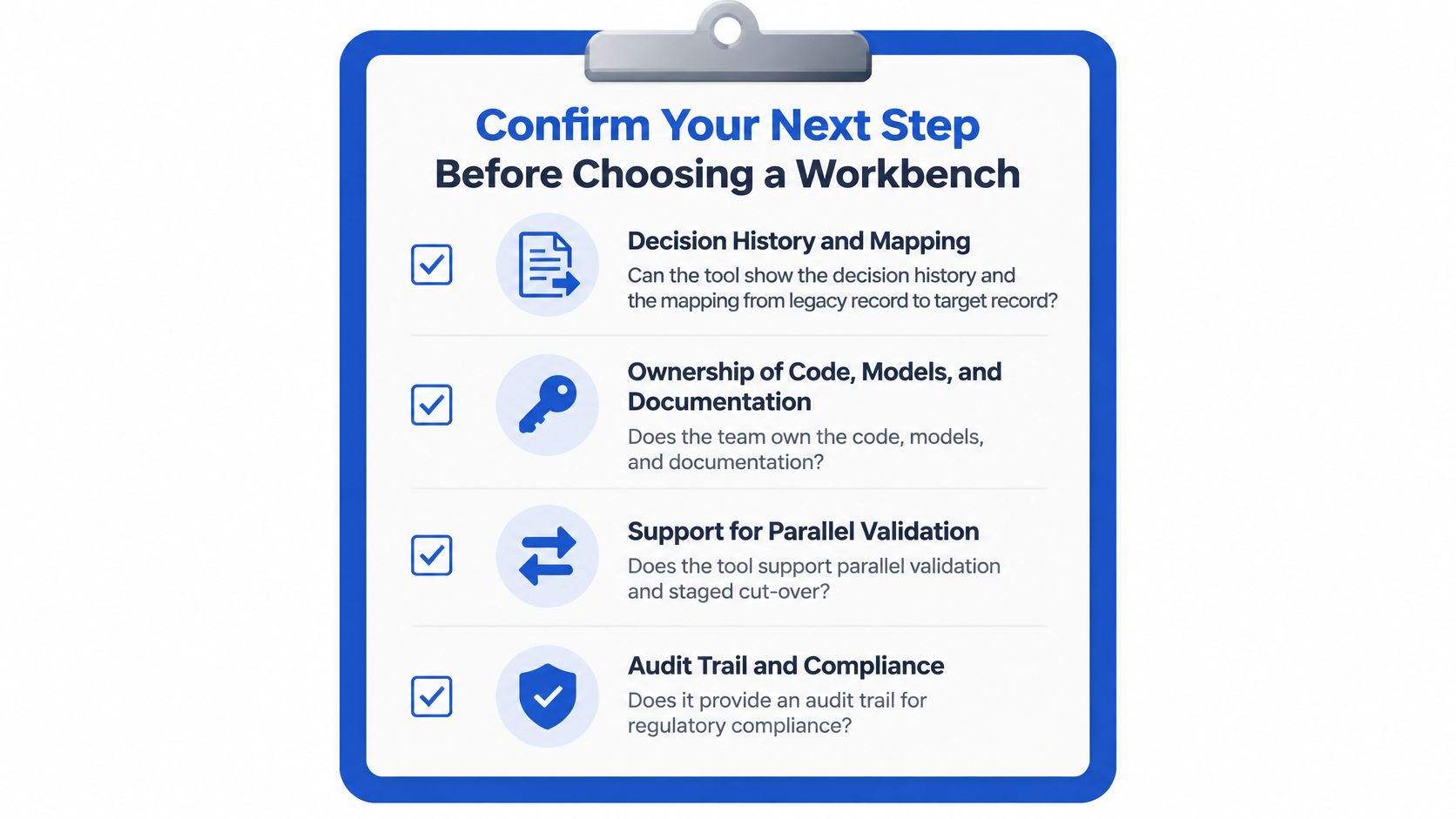
The practical first step isn't a tool comparison. Bring the one system the team can no longer change safely, with a short brief describing it, to a working session. Grail Computer Labs uses that call to find the safest and most useful place to start, and offers both a takeover process and an improve-or-rebuild assessment, so the answer can be "fix the parts that hurt" rather than "replace everything".
A proposed approach isn't a proven result. The decision should rest on evidence the buyer can see in their own estate: a dependency inventory that matches reality, a reconciliation report from a real data sample, a rollback that has run. Treat any vendor's plan as a hypothesis until their tooling produces one of those on your data.
Grail Computer Labs rebuilds legacy platforms in controlled stages and leaves the decision history with the software, so an internal team or another partner can take over without archaeology. If a stalled platform or an unmaintainable system is blocking your roadmap, visit Grail Computer Labs to start with one system and one measurable outcome. An outcome engagement delivers that result in 4 to 8 weeks, and a qualified client can stop within the first 15 days without paying.